
How do I find my Team ID?
Last updated
Instructions on where to find your XQ Team ID
The XQ Team ID gives us the ability to identify your account. The most common use case for sending your Team ID to XQ is so that we can provide you with software licenses.
-
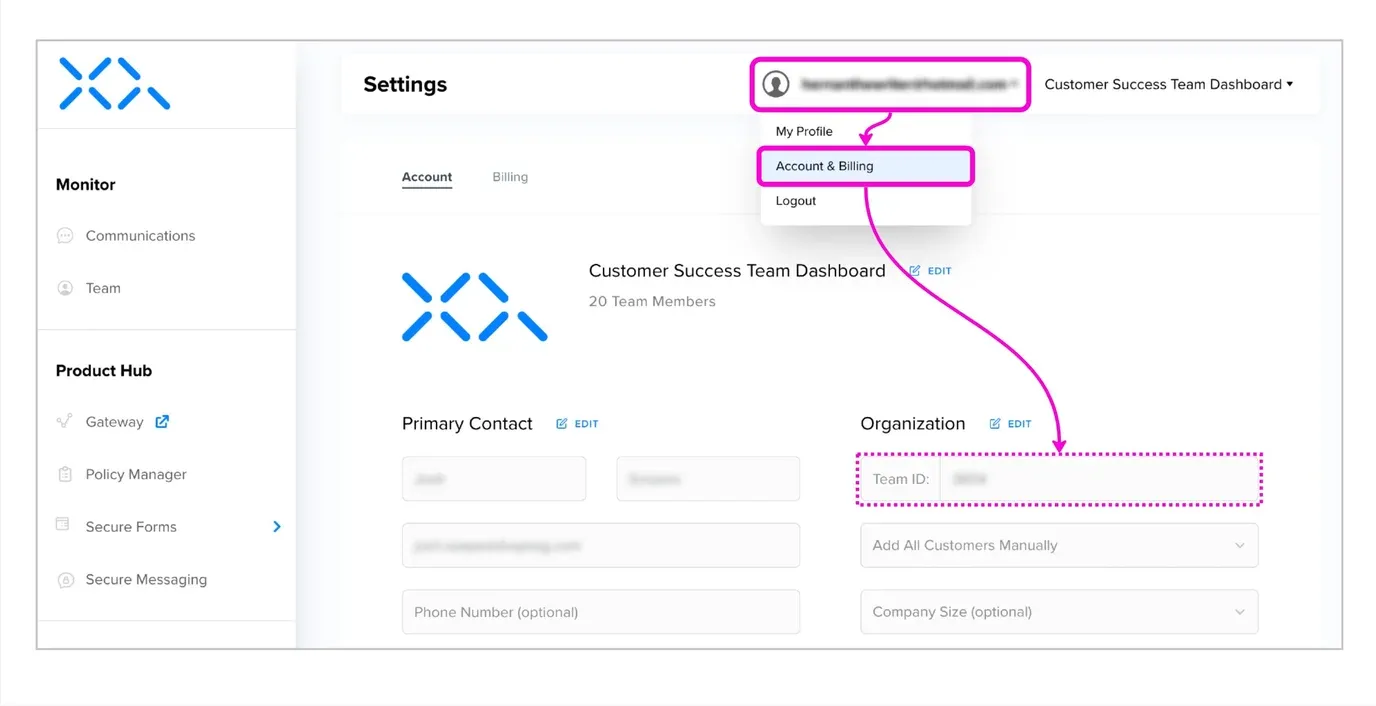
Once logged into XQ, select your name/email address on the top right-hand side of the screen.
-
Select “Account & Billing”
SuperUsers and Admins can open Account & Billing. If you don’t see it, ask your team admin for your Team ID.
-
The Team ID is in the “Organization” section
© Copyright XQ Message Inc. · FAQ